Warranty claim
This reason for return may be selected by our customers for the following subreasons:
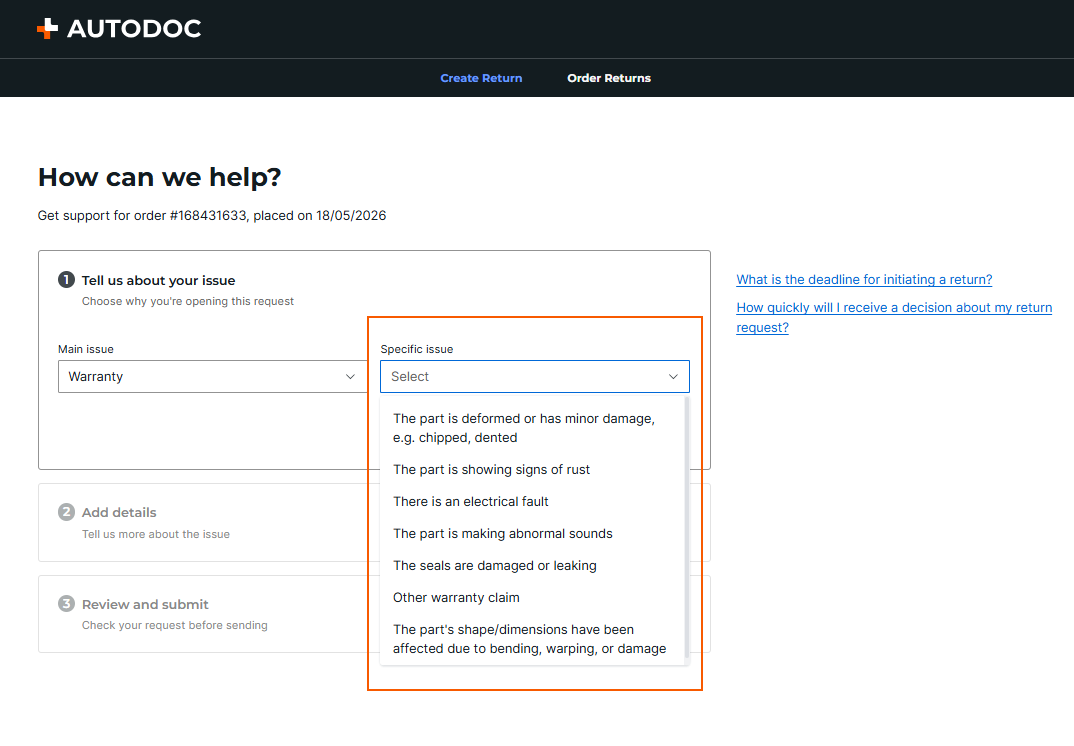
- The part is deformed or has minor damage, e.g. chipped, dented.
- The part is showing signs of rust.
- There is an electrical fault.
- The part is making abnormal sounds.
- The seals are damaged or leaking.
- The part's shape/dimensions have been affected due to bending, warping, or damage.
Please note:
To provide wider product availability, some orders are fulfilled directly from our partner warehouses. As a result, warranty requests and claim reviews for these products may require additional processing time. We appreciate your patience while we conduct a thorough review.
How do I open a warranty claim through the Returns portal?
Go to the Returns portal (you can see how to do this here) and follow the steps below:
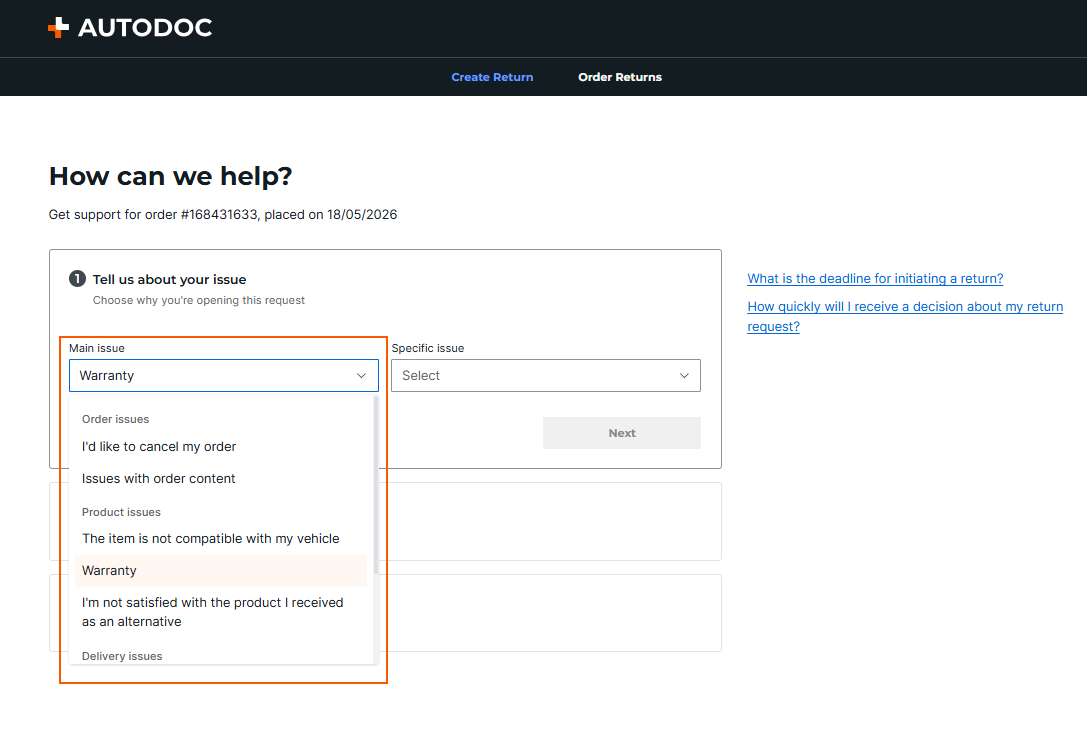
- Select the main issue Warranty claim and the appropriate specific issue, i.e. the more detailed reason for the warranty claim.
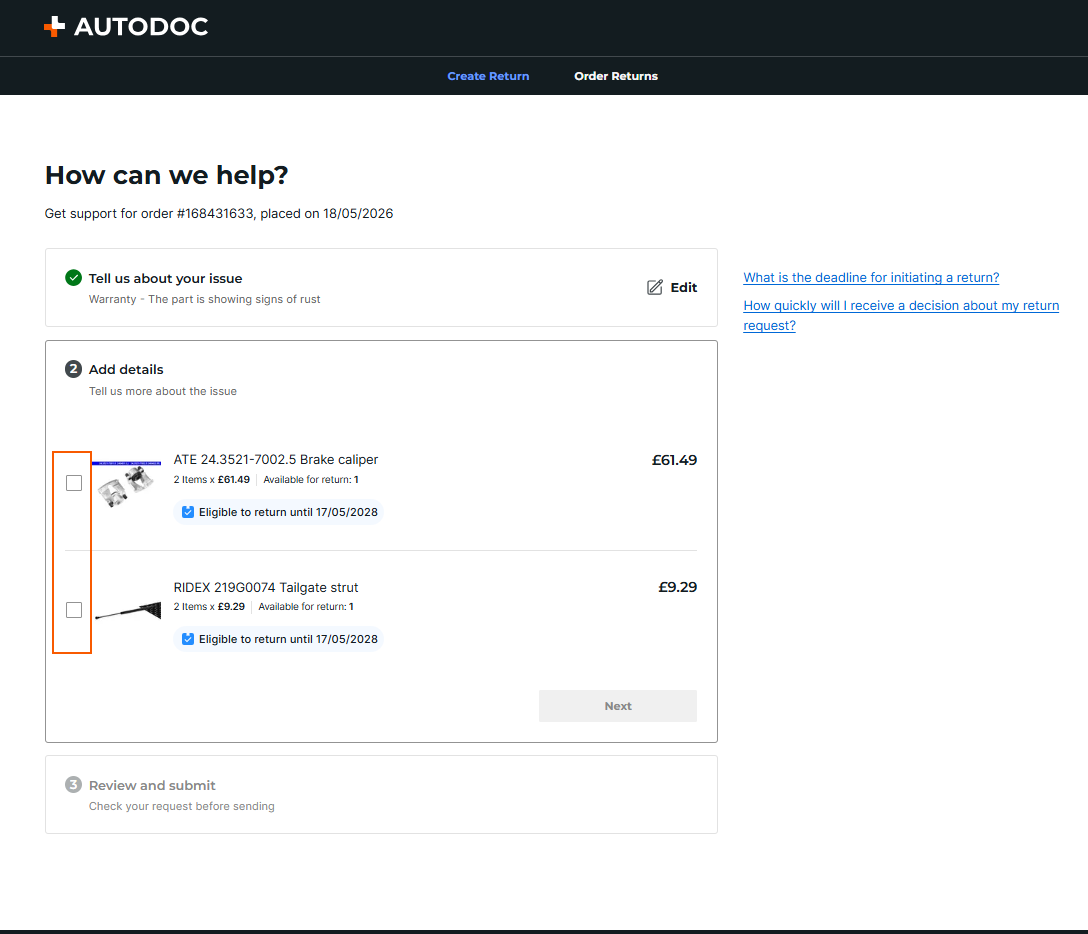
- Select the item using the checkbox and specify the quantity to be returned.
- Next, you need to describe the product defect in the mandatory Description of the defect field.
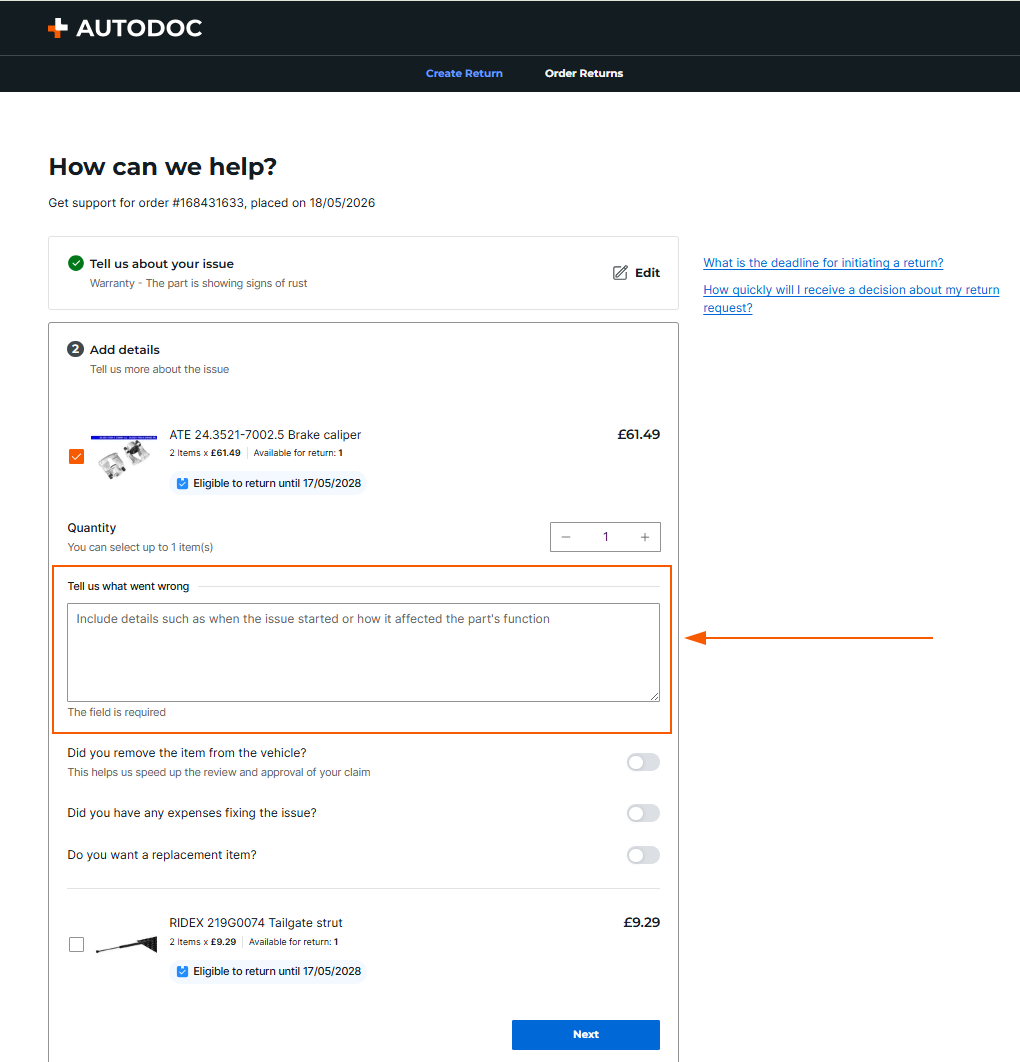
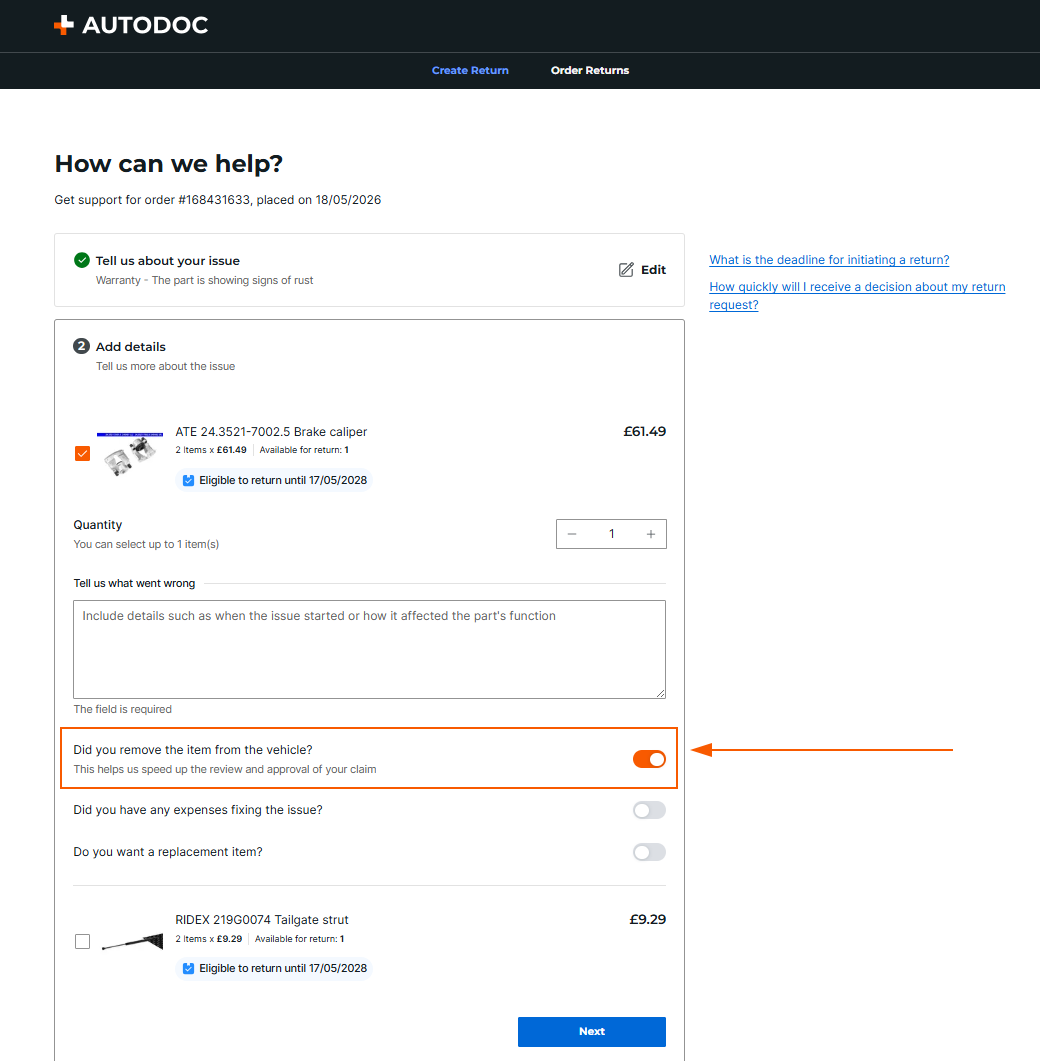
- Indicate whether the item has been removed from the vehicle. The toggle turns orange when activated. This means that the part has already been removed from the vehicle.
- Indicate whether you have incurred additional costs due to a product defect. The toggle turns orange when activated to indicate that there are additional costs.
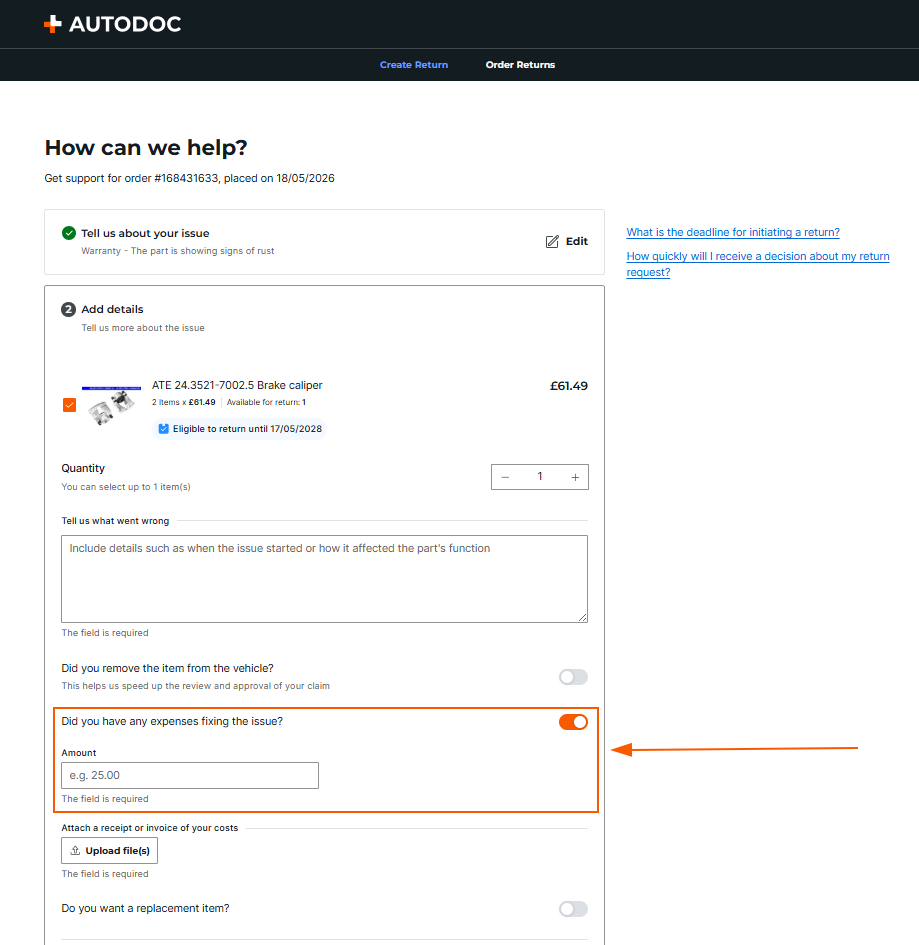 TitleYou must upload documents proving the additional costs via the Upload files button.
 - Specify whether you want a replacement item. The toggle turns orange when activated. This indicates that a replacement is required.
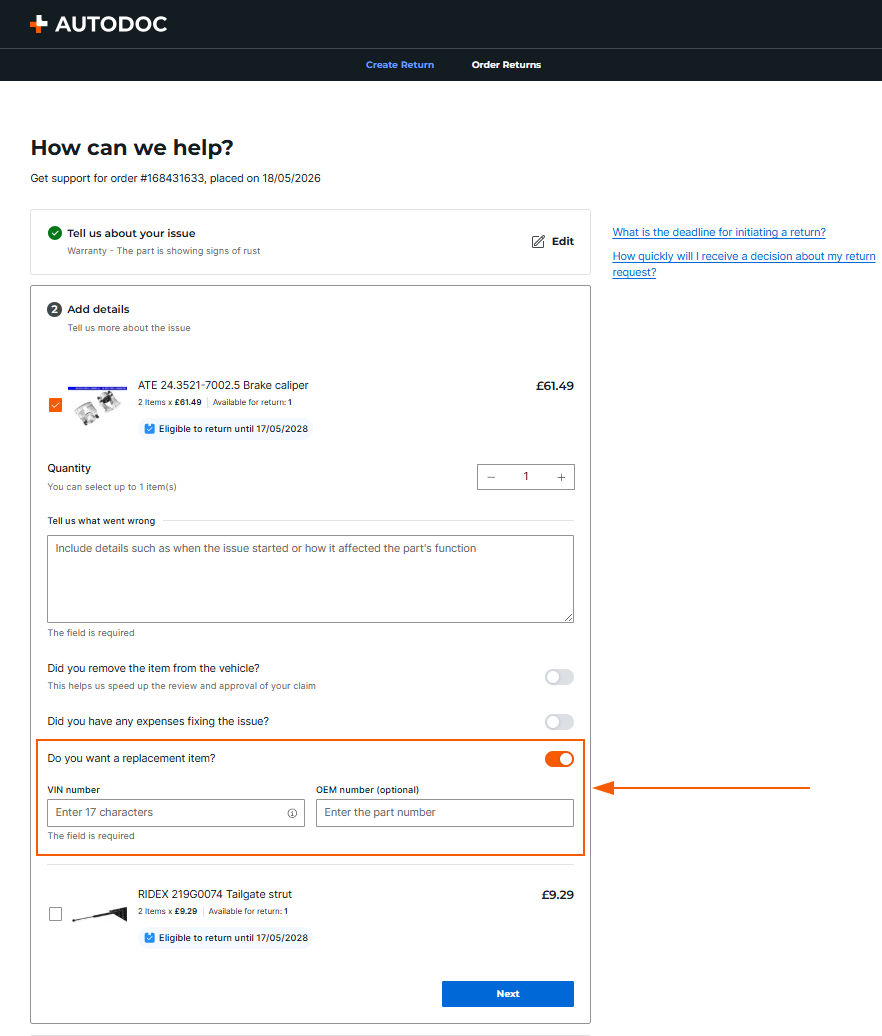 Please note:If a replacement is needed, the VIN and/or OEM number of the part must be provided.
 - Click on Submit request to have the warranty claim sent to us for review.
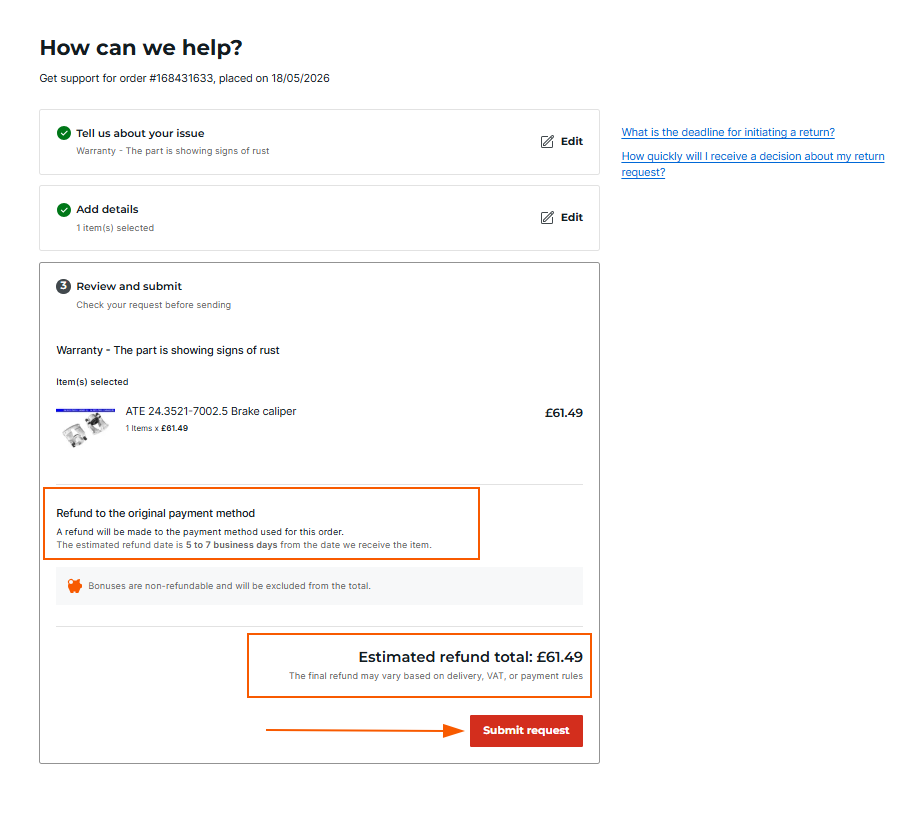
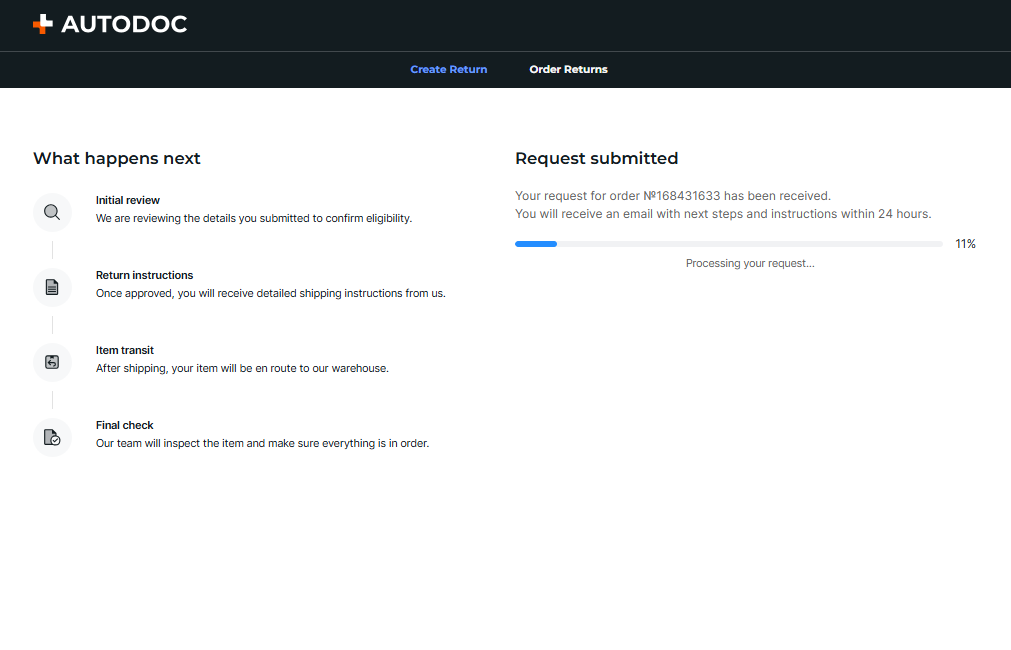
- Once the return request has been successfully submitted, a notification will appear on the screen as shown in the screenshot below.
Recycling
This reason for return may be selected by our customers for the following subreasons:
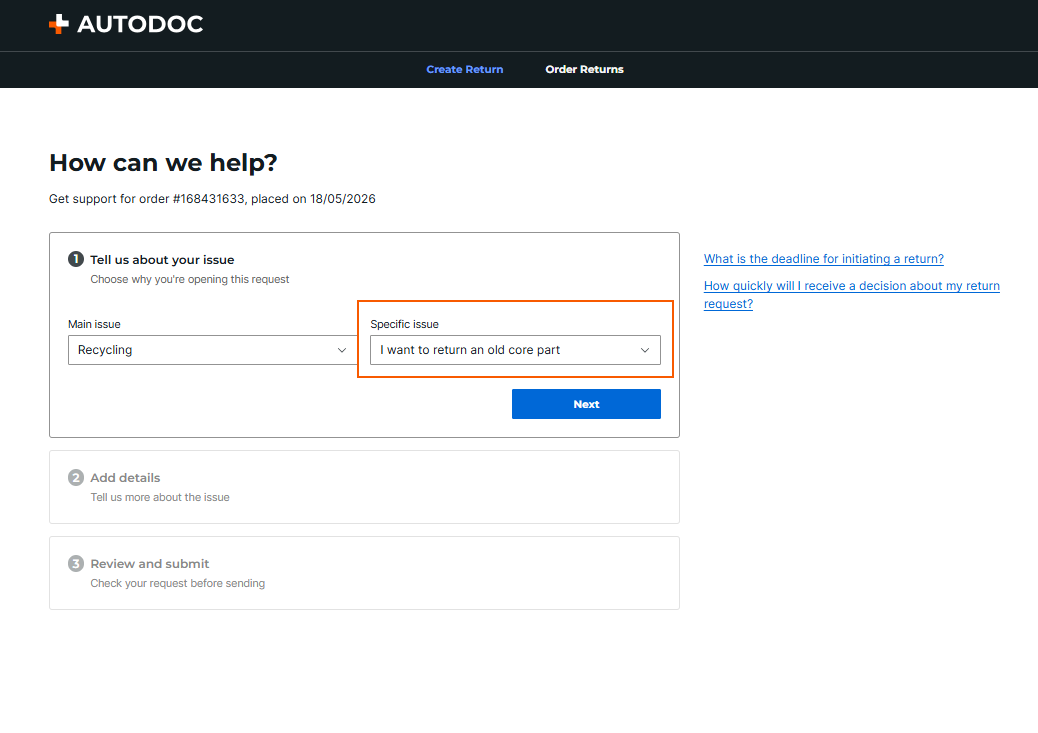
- I want to return an old core part.
- I want to dispose of old oil.
- I want to recycle an old starter battery.
How do I return a core part or other parts for recycling through the Returns portal?
Go to the Returns portal to create a return request, following the steps below.
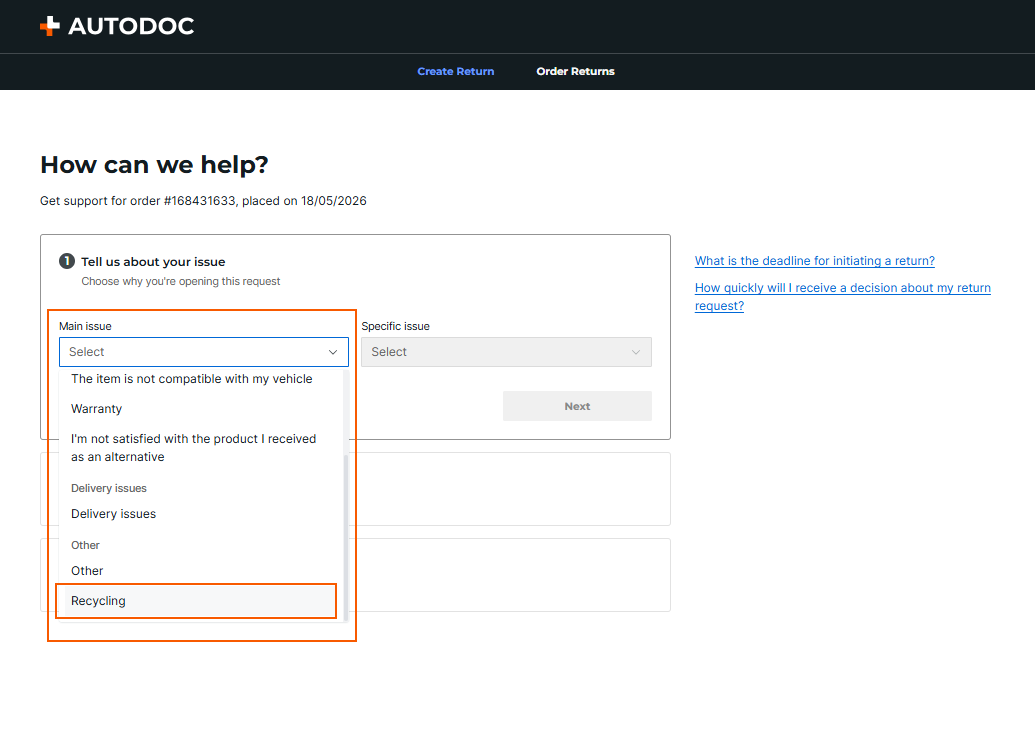
- Select the "Main issue" "Recycling" and then choose the appropriate "Specific issue", i.e. the more detailed reason for the request.
- Select the item using the checkbox and specify the quantity to be returned.
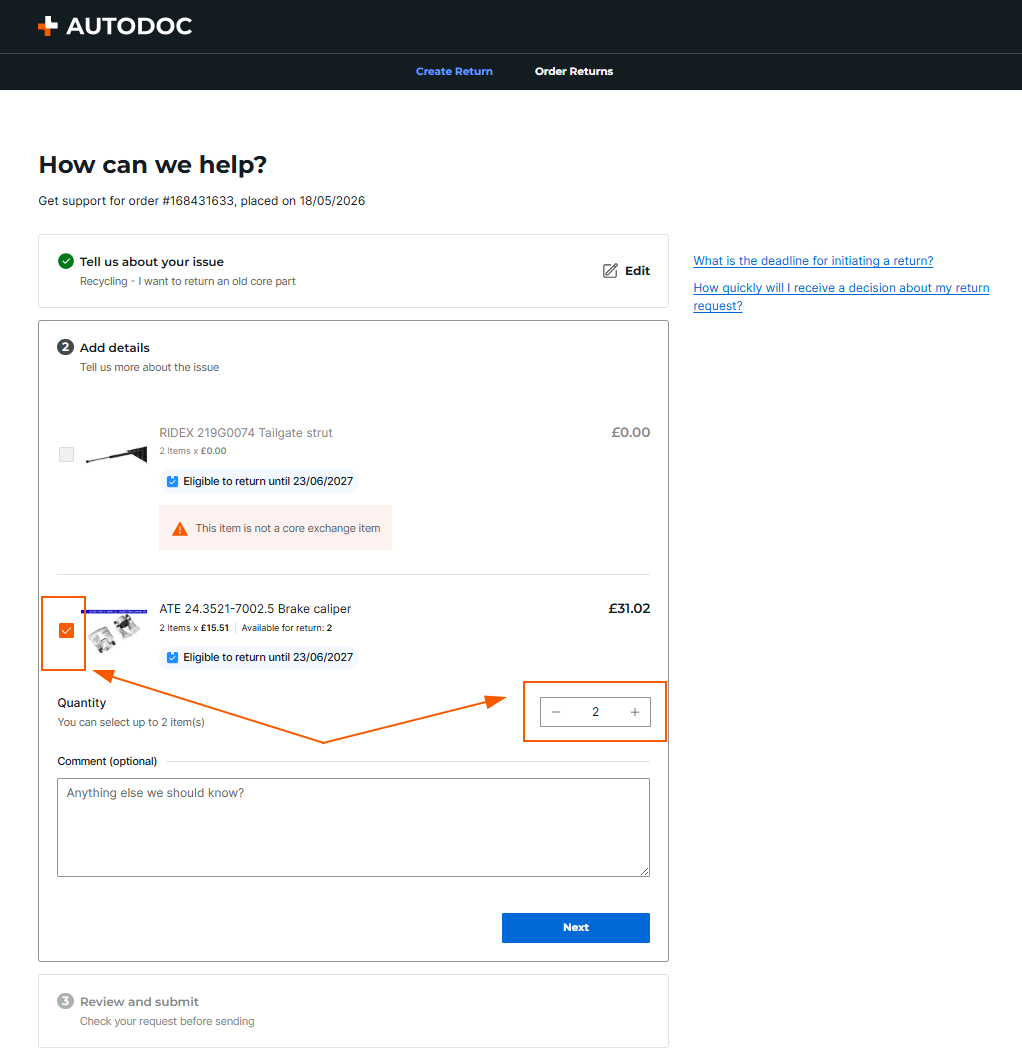 Please note:If there are items in the order that are not returnable under I want to return an old core part, they will be labelled This item is not a core exchange item.
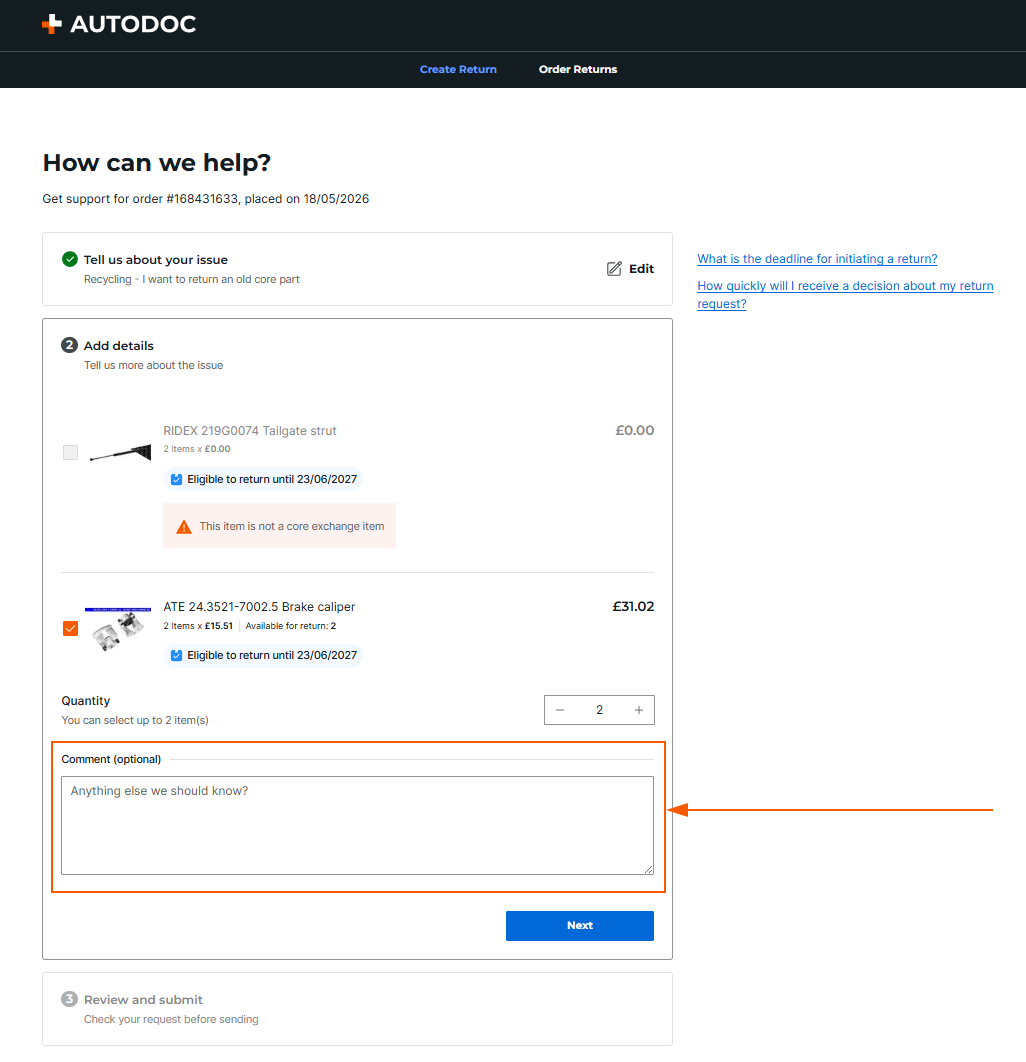
 - The Comment field is optional.
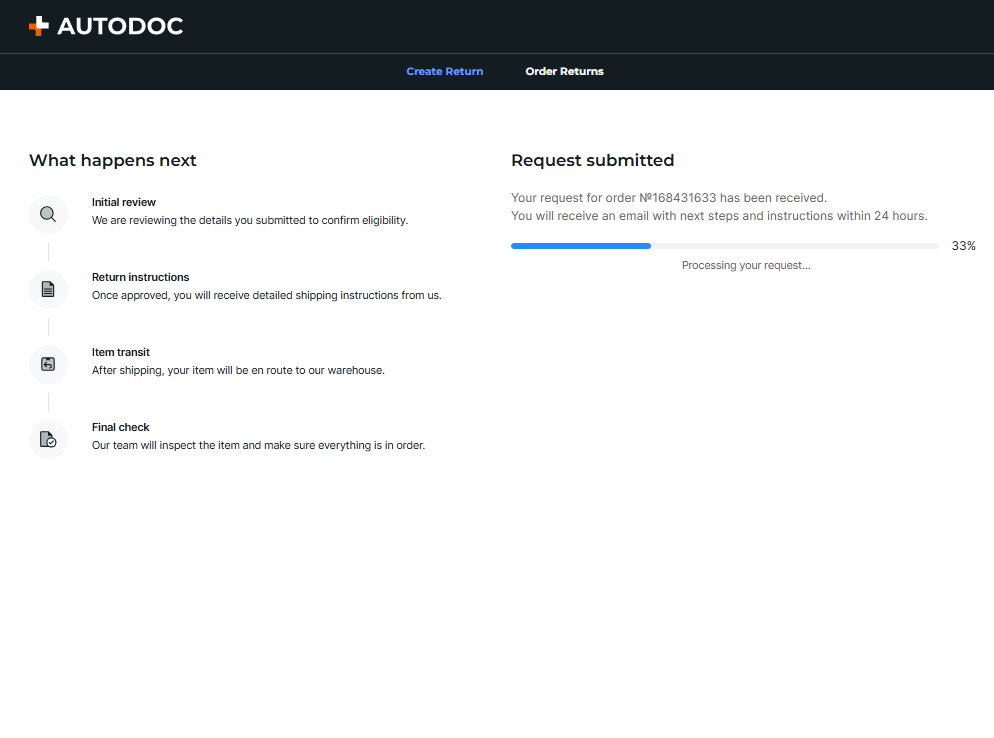
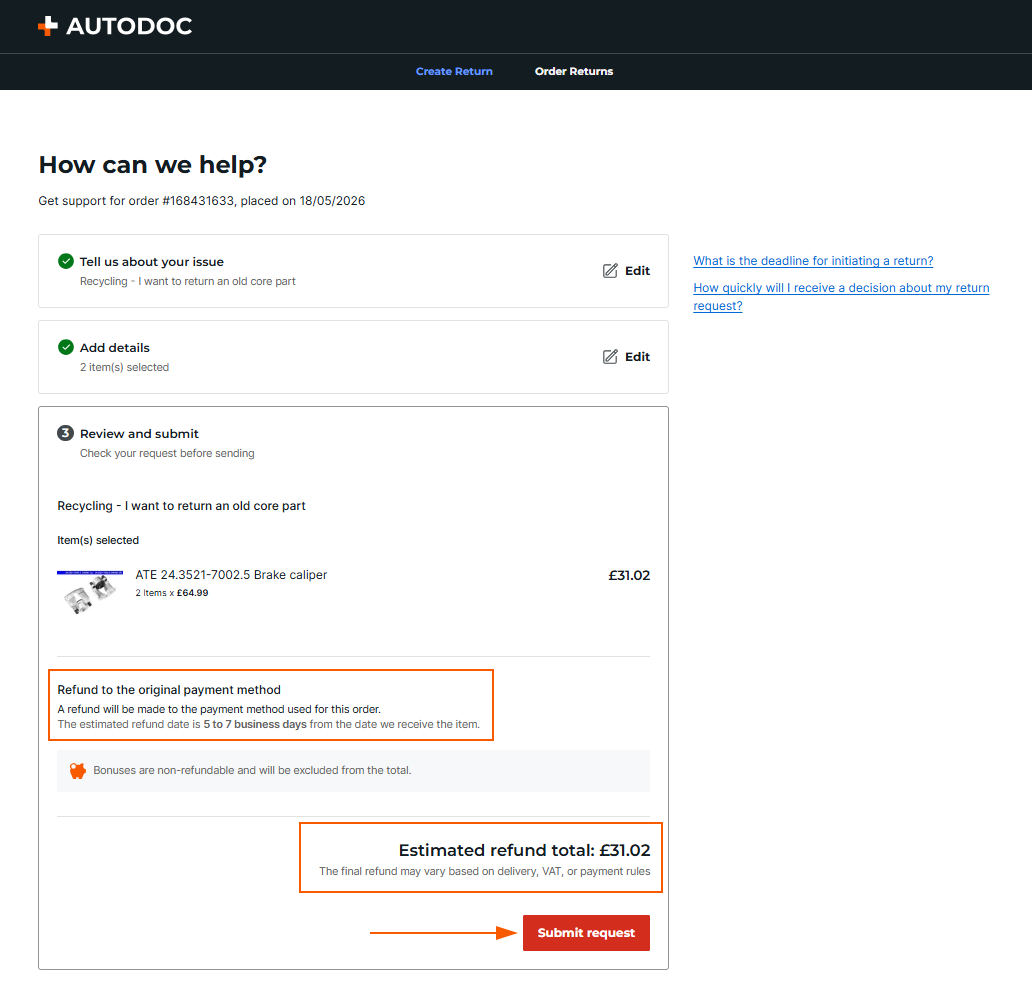
- Click on the Submit request button. The request will then be sent to us for review.
- Once the return request has been successfully submitted, a notification will appear on the screen as shown in the screenshot below.